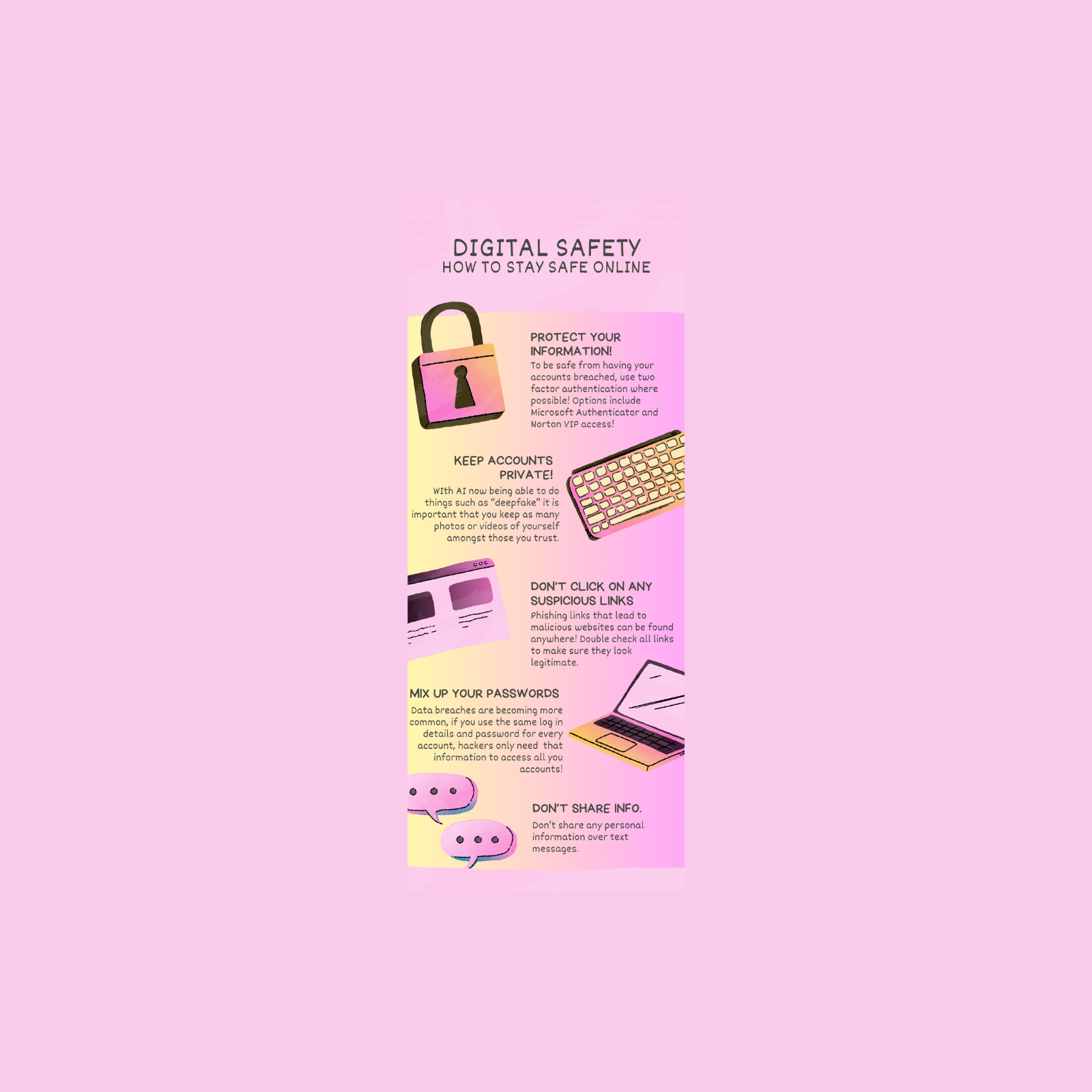
Reflection 1: Infographic
When making this infographic it was integral that I made sure that it was simple enough to understand, whilst being detailed enough to get the point across in an effective manner. I did this by ensuring that I used terms that were accessible and understandable, even for individuals who don't have a high level of digital literacy.
I chose the layout for my infographic whilst scrolling through various templates on Canva, I felt that this template suited the design choice I was going for, and also had plenty of compatible graphics to help get the point across. I added a gradient colour scheme to give it a youthful and fun feel, making it more engaging, particularly for a target audience of young people.
I believe my design choices made the Infographic more effective as I used relevant graphics for topics, i.e using the lock when talking about protecting information, this placement purely made it so readers had a relevant reference point for the information, the graphics also filled space in a way that made the infographic look a lot cleaner.
As someone who isn't much of a designer myself, I encountered quite a few challenges when designing this infographic. For one, I didn't have extensive experience using Canva, meaning that I had to do a lot of on the spot learning. I also had never really made an infographic even in high school, so I had to wrap my head around the concept a fair bit in the process of making it. In order to overcome these challenges I utilised youtube tutorials and used Canva's built in instructions tools to help me learn how to use the software more effectively.
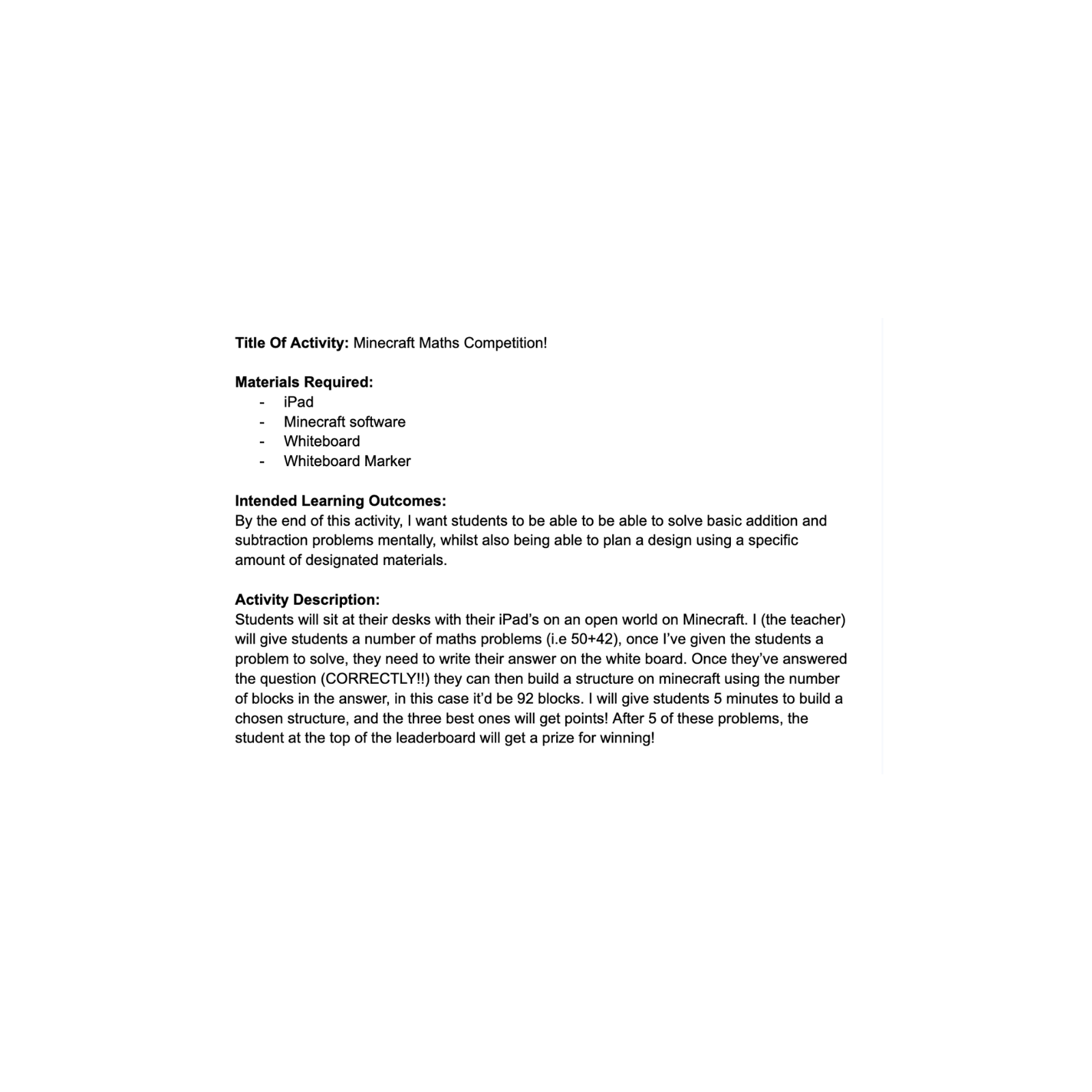
Reflection 2: Gamification
For the Gamification section, I was required to design an in-class activity for students that used at least two elements of gamification. I decided to keep it simple and use the elements of points and a leaderboard, whilst also "gamifying" my lesson by using the game Minecraft as a key part. I decided to use Minecraft as a way to give my students an outlet to put their math's problem they had just solved into practice, and used the gamification elements of points and a leaderboard to keep the lesson engaging for the students and ensuring that it was a gamified lesson.
I ensured that the gamified elements didn't overshadow the main objective of the lesson by mixing both gamified and non-gamified my components, as well as implementing a strict five minute timer for students to build their structure on Minecraft.
During the design process for this lesson, I had the initial challenge of coming up with a unique and engaging idea for a lesson that students would really love. I overcame this by consulting with the real experts (students I work with and my nephew and niece) who provided great suggestions on what they would like to see in a gamified lesson at school.
Overall, I really enjoyed designing a gamified activity, it is something that I definitely look forward to implementing in my career as a teacher and something I really believe in the effectiveness of. I believe that gamified lessons like this should be a lot more common in the education space!
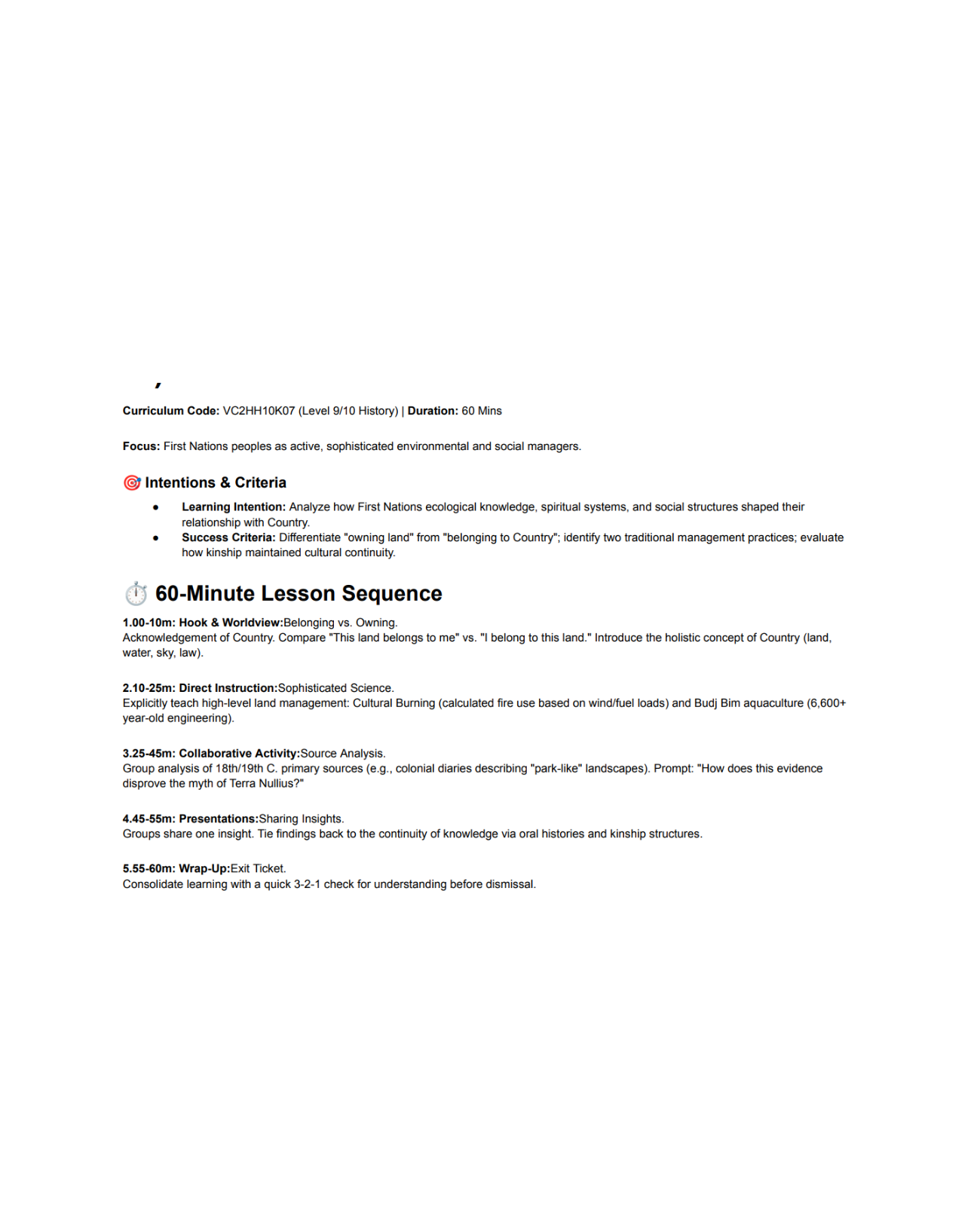
Reflection 3: AI Lesson Plan
The final task was to create a lesson plan using AI, and refine it using a number of strategies outlined in a video provided.
I had used GenAI tools before, however before this task it was about 2 or so years since I had used one. I tend to avoid using Generative AI as I don't like the thought of contributing to some of the extremely negative impacts it has on the environment (Extreme depletion of resources like water, land clearing for the building of Data Centres and ridiculous carbon emissions), however I had to use it in order to generate this lesson plan.
When crafting my prompt I made sure to specify what I wanted from the AI, my prompt was "create a highly engaging 60 minute lesson plan for level 9/10 history, give time allotments and base it off the content that is to be taught in under curriculum code VC2HH10K07".
I tailored the prompt to include the curriculum code for my subject so the AI knew which part of the curriculum I was referring to.
The AI's responses were standard from what I could see, it gave me a lesson plan that I asked for. And made changes where necessary. I thought the output from the AI was satisfactory, however it was missing that touch and just didn't seem to have the AI for the human engagement part of the lesson, something I believe is extremely important.
The AI lesson plan had good time allotments and a good general idea, but in my eyes failed to create a lesson that involved good teacher-student interactions.
Create Your Own Website With Webador